GitHub for the course
What GitHub is
GitHub is a website that stores files and keeps a full history of every change. For this course it’s the shared filing cabinet: every bench’s protocols, patterns, and recorded data land here, in one place, timestamped and attributed.
You mostly won’t touch GitHub directly — Arena Studio reads and writes it for you. This page is so you understand where your work goes and how to find it.
This repo is not being used like a normal software project with branches and pull requests. It is a live course data bus. Benches write directly to main, but each bench writes to its own namespaced folders, so teams do not overwrite each other’s data.
The course repo
Everything lives in one repository: reiserlab/cshl-2026-course (private — you need to be added, and Arena Studio needs to be signed in once per browser).
Each of the 7 bench rigs has a bench id (bench00, bench01, …). The repo is organized so no two benches ever overwrite each other’s files:
roster.yaml                                   who's who (id, name, rig, …)
genotypes.yaml, ages.yaml, …                  metadata shorthand lists
protocols/<bench-id>/<name>.yaml              a bench's own protocol saves
protocols/<bench-id>/<name>_patterns/*.pat    that protocol's patterns
protocols/shared/<name>.yaml                  protocols shared with everyone
runlogs/<bench-id>/…jsonl                      recorded data, one file per run
docs/                                          these guides
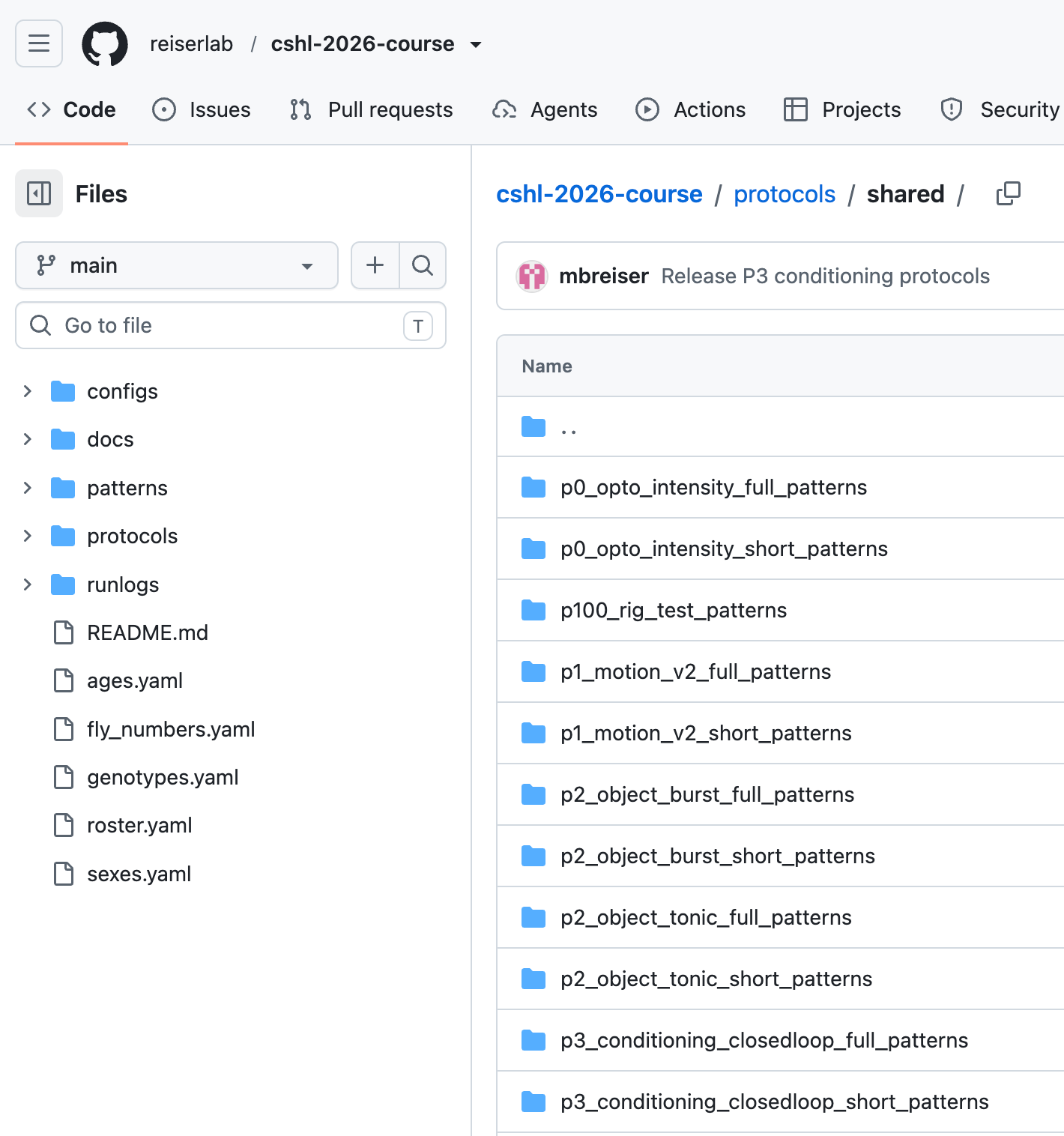
There are not separate repositories for each bench. Instead, each bench writes to its own folders inside the private course repo. In normal use, Arena Studio handles those writes for you: your bench saves into protocols/<your-bench-id>/ and completed recorded runs go into runlogs/<your-bench-id>/.
How your work gets there (automatically)
- Saving a protocol (Edit → Save, instructor/advanced mode) writes to
protocols/<your-bench-id>/. It’s yours — it won’t touch anyone else’s. - Promote to shared (File ▾) copies a protocol into
protocols/shared/so every bench can open it. It refuses to overwrite a different file with the same name, so shared protocols are safe. - Running a recorded experiment auto-commits the FicTrac data to
runlogs/<your-bench-id>/when the run completes. Test runs and aborted runs are not saved. You don’t press “save” — finishing the run is the save.
Each data file is named <protocol>__<experimenter>__<timestamp>__<runid>.jsonl and carries a metadata line with the run id, experimenter, genotype, protocol version, and rig — so every run is self-describing.
Shared vs. bench-specific (why you sometimes see two)
When you open a protocol (File ▾ → Open from Repo…), the picker shows two clearly-labeled sections:
- This bench — protocols saved on your rig.
- Shared — protocols promoted for the whole class.
Prefer your bench’s copy if it exists; otherwise use the shared one. If the same name appears in both, the picker flags it.
Finding your data later
Browse the repo on github.com → runlogs/<your-bench-id>/. Each .jsonl file is one run. The filename tells you the protocol, who ran it, and when.
What you do NOT need to do
- You don’t create branches or pull requests — benches write straight to the main copy (that’s safe because of the bench-id namespacing).
- You don’t need to run Git commands during the lab.
- You don’t manually upload data — completed runs commit themselves.
- You don’t edit
roster.yamlor the vocab files — instructors maintain those.
What may change during the course
New runlog files will appear as teams finish experiments. Instructors may also update the shared protocols, metadata lists, or documentation during the course. If you see new files appear while the course is running, that is normal.
Most students will work through Arena Studio. Open GitHub directly only when an instructor asks you to inspect the repository.
Updated 2026-07-10 01:47 ET.